Alcatel OneTouch Idol X
Review
The Alcatel One Touch Idol X is a 5-inch smart phone that pulls off a neat trick: it doesn't feel massive. Thanks to an incredibly slim bezel and a big colorful case, it doesn't feel oversized -- but is the Idol X worthy of idol worship?
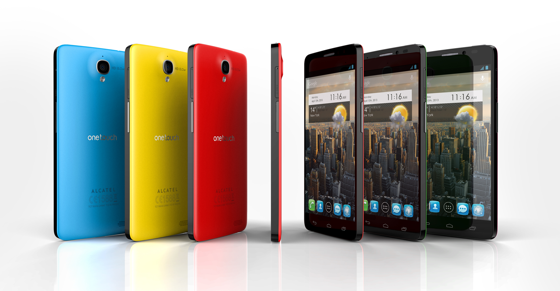
 By phone standards, 5 inches is enormous, yet the Idol X doesn't feel huge at all. That's partly because it's so slim, and partly because the screen completely dominates the face of the phone. The bezel is incredibly thin, giving the feeling that not a millimeter is wasted.
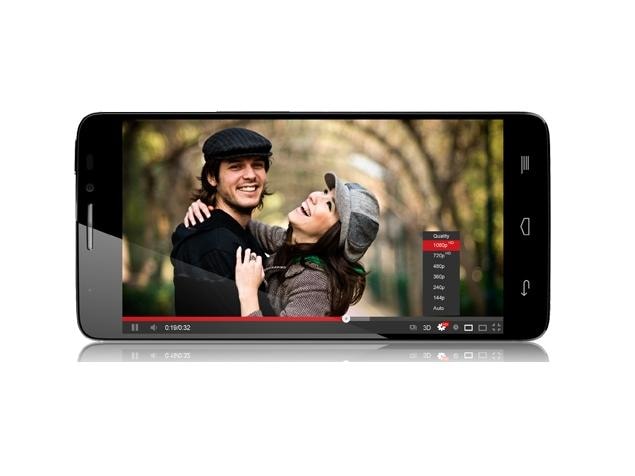
The huge screen is bright and colorful, giving you loads of space to enjoy games and videos. The phone is powered by a quad-core MediaTek processor to keep things ticking along at speed. The space above and below the screen are also minimal. There's no physical home button -- instead, light-up Android home keys are set flush into the face.
While it looks great when the keys disappear into the glossy black face and light up when needed, it's annoying that you can't see them when you pick up the phone to do something. You have to press once to light up the keys before pressing again on the button you want, which defeats the purpose of one-touch shortcut keys. The alternative is to press on the darkened glossy face in roughly the right area, which most will probably get used to, but feels clunky to me.
 Alcatel makes a virtue of the phone's size on the back, too, with a huge swathe of bright color on the rubber-like rear. The slightly grippy, rubbery texture of the back makes the phone easy to hold and feels more decadent than a cheap plastic back.
Vibrant and comfortable it may be, but the case does appear prone to marks. A couple of the brand-new demo samples, meant to show off the Idol X at its best, had already picked up scuffs.
The Idol X runs Android 4.1 Jelly Bean, which is very nearly the latest version. Alcatel has avoided adding any new features on top of Android, which -- in theory -- bodes well for the prospect of future updates. You can personalize the phone to your heart's content, downloading apps and arranging them on your home screen to give you handy shortcuts to your favorite stuff. And you can set up widgets, animated icons that display information -- like the weather, say, or recent social network updates -- right there on your home screen, without having to open the app.
There are two versions of the Idol X, which will go on sale in different areas. The first has an 8-megapixel camera and microSD card slot. The second version is a dual-SIM model, with a 13-megapixel camera and no memory-card slot -- the second SIM goes in the hole where the microSD card lives.
The slots for SIM and memory card are on either side of the phone, covered by a small hatch that you pop open by pressing a small bubble on it. It's a bit fiddly to open -- which is probably a good thing, as it means your SIM is safe, and at least you don't need a paperclip to get at your card. In a nice touch, the hatch closes itself, thanks to a magnet.
 The model I saw didn't have a working camera, although when it hits shops it will have all the usual Android photo features, such as easy social sharing of your snaps.
Prices and release dates haven't been confirmed yet, but will vary depending on where you are.